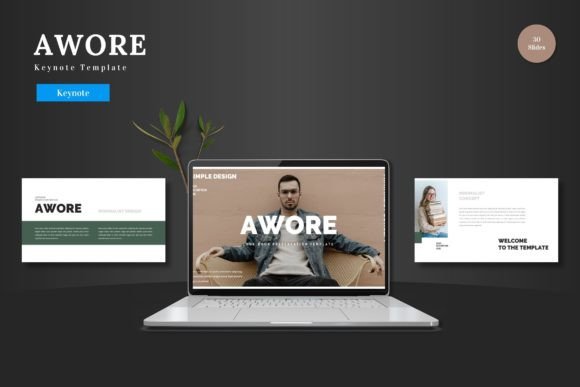
Awore - Keynote Template: Your Shortcut to a Professional Presentation
When the pressure is on to deliver a compelling presentation, whether to investors, clients, or your team, your slides are more than just a backdrop. They are a critical component of your communication, shaping perception and supporting your message. Many professionals and creators instinctively search for a template, hoping it will solve their design challenges quickly. The Awore - Keynote Template is a popular choice designed specifically for this rescue mission. It promises a clean, scalable, and multipurpose foundation. But simply downloading a file isn’t a guarantee of success. The real value comes from understanding what it offers and how to use it effectively, avoiding the common pitfalls that can undermine even the most well-designed template.
Overestimating Customization Versus True Flexibility
A frequent misunderstanding when choosing a keynote template like Awore is conflating a large number of slides with effortless customization. You see "150 Total Slides" and imagine endless possibilities. However, the key detail is how those slides are constructed and how you are meant to edit them. Awore is built entirely within Keynote, with all elements editable as Keynote Slides shapes. This is a significant advantage—you don't need to jump into another graphic software to tweak an infographic or change a color palette. The mistake here is not exploring this native editing capability immediately after purchase.
If you treat the template as a static collection of slides, merely dropping text into placeholders, you miss its core strength. For instance, the handcrafted infographics are based on master slides. A better approach is to spend ten minutes right after opening the main file: examine the master slides, understand how the color schemes (the 5 premade colors) are applied globally, and practice resizing one of the pixel-perfect illustrations. This hands-on exploration turns a pre-made asset into a flexible tool, saving you hours later when you need to adapt a slide for a last-minute data point or a different brand color.
The Overshadowing Danger of "Drag and Drop"
The feature "Picture Placeholder, drag drop Gallery and Portfolio slide" sounds wonderfully convenient. It can, however, lead to a presentation that feels generic and disconnected from your specific narrative. The placeholder is a guide, not a command. A common error is to drag and drop a series of images without considering their cohesion, resolution, or relevance to the adjacent text. This creates visual noise and dilutes your message.
Practical advice: treat each placeholder as a frame for a curated image. Before inserting, ensure your photos or graphics follow a consistent style (e.g., similar lighting, color treatment) and are high-resolution. The template provides the structure, but you supply the tailored content. For a product promotion, for example, don't just use all available portfolio slides; select the ones that best showcase the product's key features and user benefits, and pair them with concise, strong captions that the template's clean layout will amplify.
Neglecting the Foundation Files and Documentation
Upon download, many users excitedly open the first keynote file they see and begin work. This overlooks a crucial step that impacts usability and efficiency. The Awore - Keynote Template includes several files: 5 KEY Files for Widescreen, each with a different color scheme, and a Readme file containing font and photo information. Skipping the Readme can lead to frustrating inconsistencies. You might spend time searching for a font that matches the template's aesthetic, only to discover it was listed in the documentation from the start.
A constructive habit is to treat the "Readme First" instruction seriously. Open this document first. It contains essential asset links and usage notes. Then, review the five main keynote files to choose the color variation that best aligns with your brand or presentation mood. This five-minute investment prevents a disjointed workflow where you accidentally mix elements from different color schemes, resulting in a visually jarring slide deck.
Misusing Animation and Underutilizing Structure
The mention of "animated slide" is a highlight for many, aiming to add dynamism. A typical mistake is to apply these pre-built animations indiscriminately to every slide, hoping for a cinematic feel. This often reduces professionalism and can distract the audience from your core content. Animation within a template like Awore is best used sparingly and purposefully—perhaps to introduce a key statistic or to transition between major sections.
Furthermore, the template's structure—with its section break slides and organized template sections—is a roadmap for a logical narrative. Ignoring this built-in flow and jumbling slides into a random order forces you to do the structural thinking yourself, wasting time. A better method is to map your presentation outline directly onto the template's sections. Use the 30 slides per template section as a content bucket for each part of your pitch: problem, solution, features, proof, call to action. This leverages the template's design intelligence to enhance your communication clarity.
Assuming Compatibility and Not Verifying Scale
Before committing to use Awore for a critical presentation, a simple yet vital check is to confirm your Keynote version compatibility. While modern templates are typically forward-compatible, opening the file in an outdated version could lead to missing fonts or broken layouts. Similarly, while "all graphics are resizable and editable," a practical test is to resize a complex infographic on your actual device to ensure it maintains its quality and doesn't distort awkwardly.
This verification step is especially important for users who plan to present on different screens or devices. Open the widescreen file, play through a few slides in presentation mode, and check how the scalable elements look. This ensures that when you present your slides to the world, the quality remains intact, from a laptop screen to a large conference monitor. It turns the promise of "maintaining the quality of your products" into a reliable reality.
The Final Step: From Template to Personal Tool
The Awore - Keynote Template is indeed a great template ready to use for business, pitch decks, e-commerce, or personal needs. Its value, however, is fully unlocked only when you move beyond seeing it as a download and start treating it as a workshop within Keynote. The common mistakes—from ignoring master slides to overusing animations—usually stem from a rush to completion. By slowing down initially to understand its editable nature, review its documentation, and plan your content within its structured sections, you transform a pre-made set of slides into a powerful, personalized presentation tool. You avoid the generic outcome and create something that is both professionally polished and uniquely yours, ready to support your message with clarity and impact.