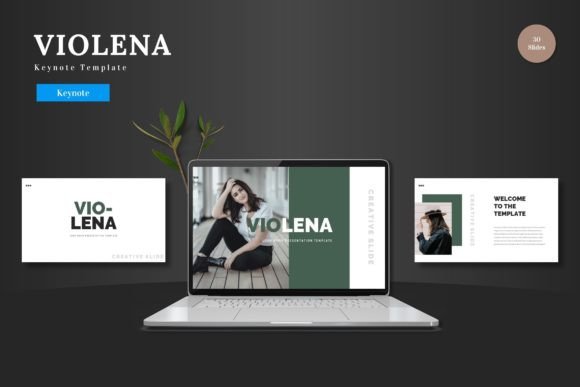
Elevate Your Presentations with Ofamoz Google Slide Templates
Crafting a presentation that truly resonates with an audience is a common challenge. You need clear structure, compelling visuals, and a professional polish, but the time and design skills required can be a significant hurdle. This is where a thoughtfully designed template becomes a powerful tool. The Ofamoz Google Slide Template provides a comprehensive foundation, offering not just a single design but a versatile system of slides crafted to help you communicate more effectively.
A Foundation for Professional Communication
At its core, the Ofamoz Google Slide Template is a collection of 150 slides organized into five distinct color themes. Each theme contains 30 slides, providing a coherent visual language for your entire presentation. This structure means you can choose a palette that aligns with your brand, topic, or personal style—be it bold and energetic or calm and professional—and have every slide consistently reflect that choice. The value here is in eliminating the tedious work of manually ensuring color harmony and layout consistency across dozens of slides, a task that often consumes valuable time.
From Concept to Compelling Slides
The template goes beyond basic layouts. It includes handcrafted infographics and pixel-perfect illustrations based on master slides. For professionals explaining processes, marketers showcasing data, or educators breaking down complex concepts, these elements are invaluable. Instead of searching for clipart or struggling to draw a flowchart, you have ready-made, editable visuals that can be instantly adapted to your content. Because all graphics are resizable and editable, you maintain full creative control, tweaking an icon or adjusting a chart to fit your specific narrative without starting from scratch.
Consider a freelance designer pitching to a new client. They need to showcase their portfolio quickly and professionally. The template includes dedicated gallery and portfolio slides with drag-and-drop picture placeholders. This allows them to insert their work seamlessly, focusing their energy on curating the right images and crafting their pitch, rather than wrestling with slide layout mechanics. The time saved translates directly into a more polished proposal and a better chance of winning the project.
Streamlining the Creation Process
One of the most practical benefits of the Ofamoz template is how it simplifies decision-making. Starting a presentation with a blank slate involves countless micro-decisions: font size, spacing, image alignment, transition style. This template provides a curated starting point with those decisions already made by professional designers. You begin with a framework that is inherently visually appealing, allowing you to channel your effort entirely into your message and storytelling. For entrepreneurs and small business owners who may not have formal design training, this guidance is particularly beneficial. It helps them create presentations that look authoritative and credible, reinforcing their professional image.
The inclusion of section break slides is another thoughtful feature for improving structure. These slides act as clear visual signposts within a longer presentation, helping to segment topics for an audience. An educator delivering a multi-part lecture or a manager presenting quarterly results across different departments can use these breaks to create a natural rhythm, giving viewers a moment to digest information before moving to the next segment. This enhances comprehension and keeps the audience engaged through a longer talk.
Adaptability for Diverse Needs
The package’s main files include five PPTX files and the equivalent 30-slide sets for Google Slides, recognizing that users work across different platforms. Having both formats ensures flexibility, whether you prefer to work directly in PowerPoint or within the collaborative environment of Google Slides. The included readme file with font and photo information further supports a smooth workflow, preventing the common frustration of missing font errors or uncertainty about image sourcing rights.
While the Ofamoz Google Slide Template offers substantial resources, it’s important to consider fit. Its strength lies in providing a robust, multi-theme starting point for users who need to produce professional presentations regularly but wish to avoid the time sink of custom design from zero. For someone who requires a hyper-specialized, one-off slide for a very niche topic—like a specific engineering schematic—the general infographics may need more supplementation. However, for the vast majority of use cases—business reports, academic lectures, project kickoffs, marketing reviews, and creative portfolios—the breadth of slides covers the necessary ground.
Unlocking Creative Confidence
Ultimately, a good template does more than save time; it supports creative confidence. When you have a solid design foundation, you’re free to experiment within a safe framework. You can focus on finding the perfect image for a placeholder, crafting a stronger headline, or refining your data for an infographic, knowing the slide itself will present it beautifully. This is especially helpful for bloggers, publishers, and hobbyists turning their passion into presentations for communities or workshops. The technical barrier is lowered, enabling them to share their knowledge in a format that commands attention and respect.
The Ofamoz Google Slide Template, with its five color variations and extensive slide library, serves as a strategic tool for clearer communication. By handling the foundational design work, it allows professionals, creators, and educators to invest their energy where it matters most: in developing a compelling message, engaging their audience, and achieving their presentation goals with greater efficiency and impact.